If you run a manufacturing or installation company with 10 to 200 people, odds are your warehouse inventory still lives in a spreadsheet. You're not alone — most companies at this size are in the same boat. Excel is familiar, flexible, and free. But at some point, it quietly starts costing you more than any software subscription ever would.
Here's what we'll cover: why spreadsheets break down for warehouse management, how to spot the signs you've outgrown them, and what actually matters when picking dedicated software.
Why Excel Breaks Down for Warehouse Management
Excel wasn't built to run a warehouse. It's a calculation tool. For a company with a handful of SKUs and one storage location, it works fine. But as things grow? Problems show up that no VLOOKUP formula can fix.
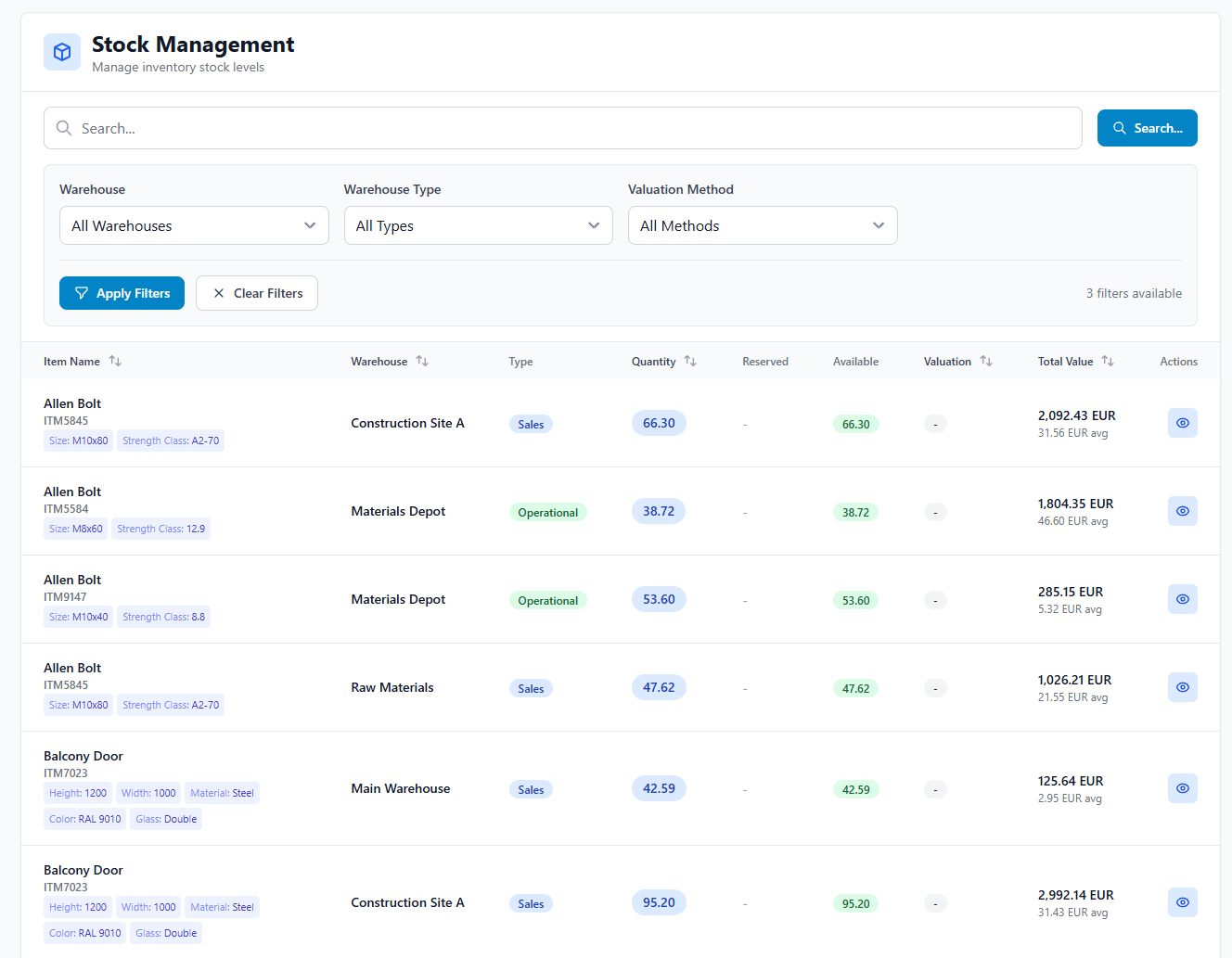
No real-time visibility. A technician pulls parts from the shelf at 7 AM. The warehouse manager updates the spreadsheet at 4 PM. That's nine hours of blind spots. During those hours, procurement might order materials you already have. Or a project manager promises a delivery date based on stock levels that don't exist anymore.
Version conflicts. The moment two people edit the same file — or worse, keep separate copies — your data forks. Even with shared drives or cloud spreadsheets, concurrent edits lead to overwritten entries. The warehouse copy says 40 units. Procurement's copy says 25. Who's right? Nobody knows until someone physically counts.
No connection to other business processes. Your inventory doesn't exist in a vacuum. It's tied to purchase orders, project material lists, supplier lead times, customer delivery dates. In Excel, all those connections have to be maintained manually — cross-referencing, copy-pasting, or just remembering. Every manual link is a point of failure waiting to happen.
Audit trail gaps. When stock numbers change in a spreadsheet, there's no reliable record of who changed what, when, or why. Did 20 units of copper fittings vanish because they were used on a job, scrapped, or walked out the door? Excel can't tell you. And when your annual stocktake reveals discrepancies, you've got no trail to follow.
Five Signs You've Outgrown Spreadsheets
The shift from "Excel works fine" to "Excel is holding us back" doesn't happen overnight. It's a slow erosion. Here are the signs:
- A project got delayed because of a stock discrepancy. The job was scheduled, the crew showed up, and the materials weren't there — even though the spreadsheet said they were. If this has happened more than once, your data layer is broken.
- You're ordering materials you already have. Duplicate purchases are one of the most expensive spreadsheet failures. If your procurement team can't trust the count and defaults to ordering "just in case," you're bleeding cash into excess stock.
- Stocktaking takes more than a day. If your annual physical count means shutting down operations and spending a full day reconciling the spreadsheet with reality, the gap between your data and your warehouse has grown too wide.
- One person holds all the warehouse knowledge. If your warehouse manager is the only one who truly understands the spreadsheet — its formulas, its hidden tabs, its quirks — that's a single point of failure. What happens when they go on vacation? Or leave?
- You can't answer basic questions quickly. "What's our current inventory value?" "Which items haven't moved in 90 days?" "How much did we spend on materials for Project X?" These should take seconds, not hours of spreadsheet archaeology.
The real cost of spreadsheet inventory management isn't the time spent updating cells. It's the decisions made on bad data — the rush orders, the overstocked shelves, the delayed projects, the margin erosion that nobody can trace back to a root cause.
What to Look for in Warehouse Management Software
If you recognized yourself in the signs above, the next question is: what do you replace Excel with? Not every warehouse management system (WMS) fits. Enterprise-grade platforms built for logistics companies with 500-person warehouses will overwhelm a 30-person manufacturer. Here's what actually matters at your size:
- Real-time stock updates. Every receipt, pick, transfer, and adjustment should update inventory immediately. No batch processing. No end-of-day syncs. When a technician takes a part, the count changes right then.
- Low-friction data entry. Your warehouse staff aren't data entry clerks. The system needs to make recording movements fast and easy — barcode scanning, mobile interfaces, minimal-click workflows. If it's slower than the spreadsheet, people won't use it. Simple as that.
- Connection to purchasing and projects. Managing inventory in isolation is barely an improvement over Excel. The real win comes when your stock levels connect to purchase orders, project material requirements, and supplier lead times. That's what kills the manual cross-referencing.
- Minimum stock alerts and reorder points. The system should ping you when items drop below a threshold — so you're reordering proactively instead of discovering shortages on the morning of a big job.
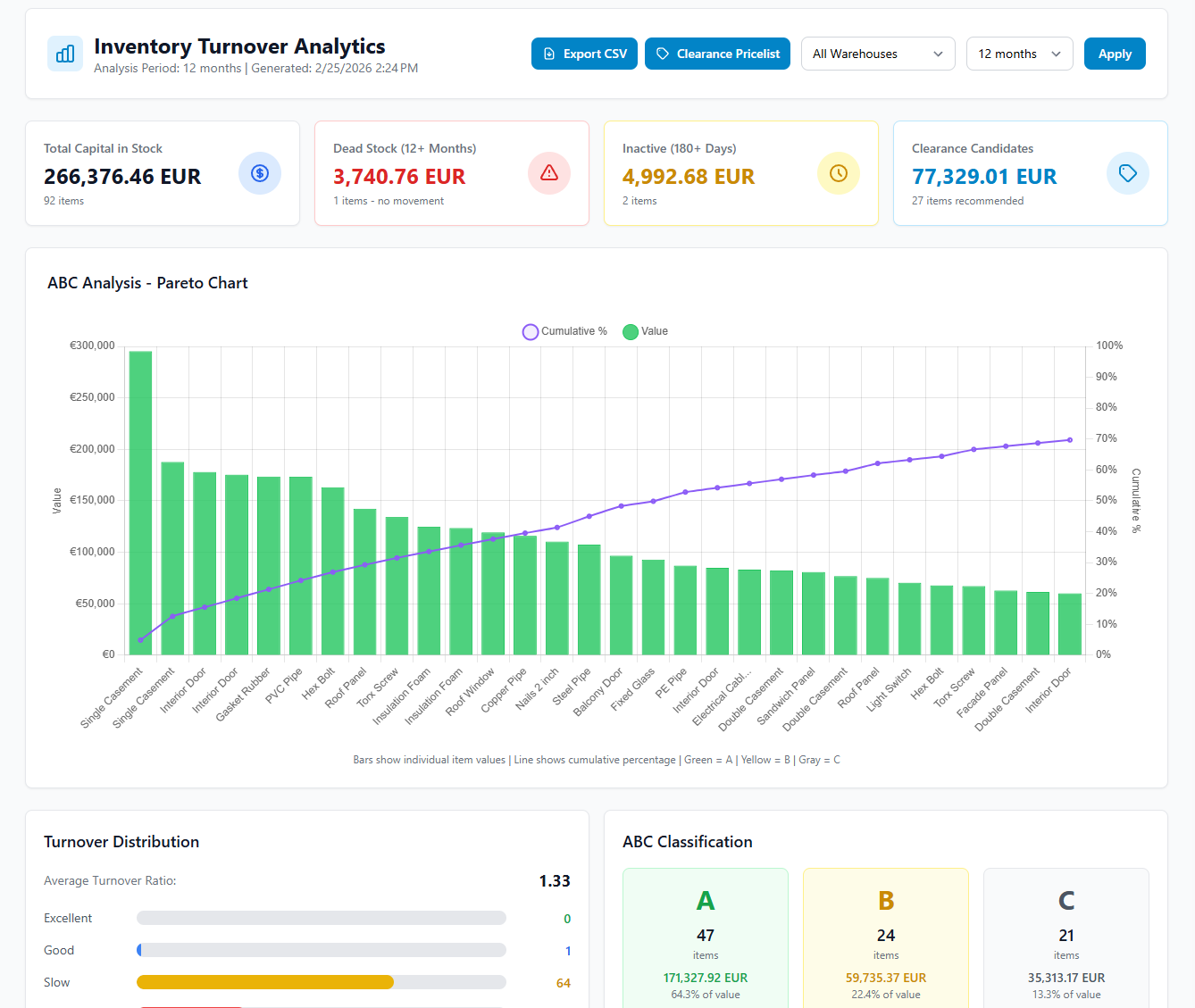
- Reporting without effort. Inventory valuation, movement history, dead stock analysis, material cost per project — these should be standard reports you pull up in a click, not custom formula builds you spend half a Friday on.
- Reasonable onboarding. If implementation takes six months and requires a consultant, it's probably the wrong tool for your scale. Look for systems you can set up in days or weeks, not quarters.
Making the Switch
Moving off spreadsheets doesn't have to be a dramatic overhaul. The most successful transitions follow a simple pattern: start with your highest-pain area (usually the items and locations causing the most confusion), get that data clean and into the new system, then expand from there.
Import your item list. Set up your storage locations. Define reorder points for your most critical items. Then run the new system alongside your spreadsheet for a week or two until the team trusts the data. Most companies find that within a month, the spreadsheet just... stops getting updated. Because the new system is faster and more reliable.
Several tools are built for exactly this scenario. iNTAkt, for example, is an operations platform designed for manufacturers and installers with 10 to 200 employees — it connects warehouse management with purchasing, projects, and sales in one system. Other options include Sortly, inFlow, and Fishbowl, each with different strengths depending on your workflow.
The right choice depends on your business. But don't wait too long to make it. The next stock discrepancy could cost you a project deadline, a customer relationship, or a chunk of margin you can't afford to lose.